

 Image 1 of 5
 Image 2 of 5
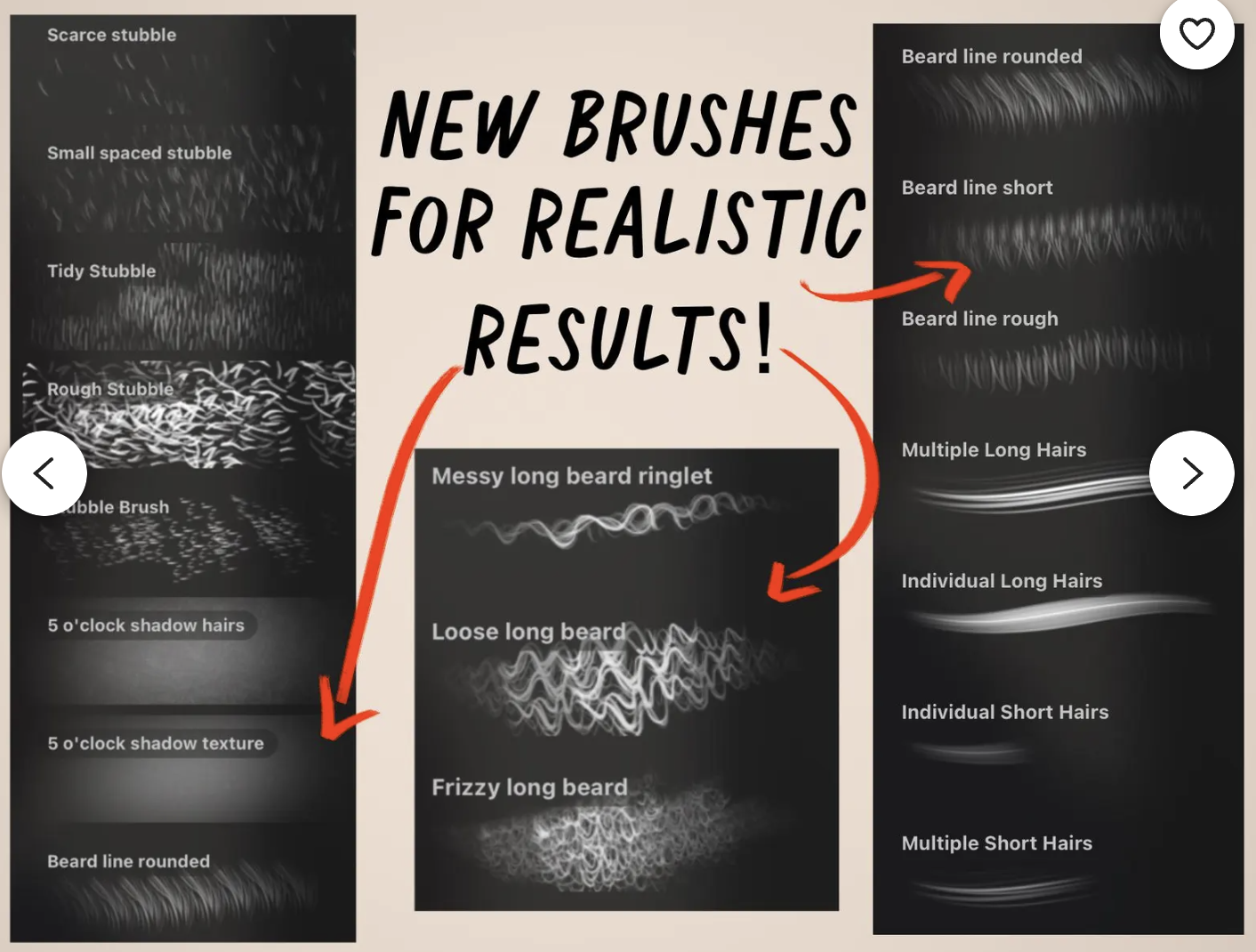 Image 3 of 5
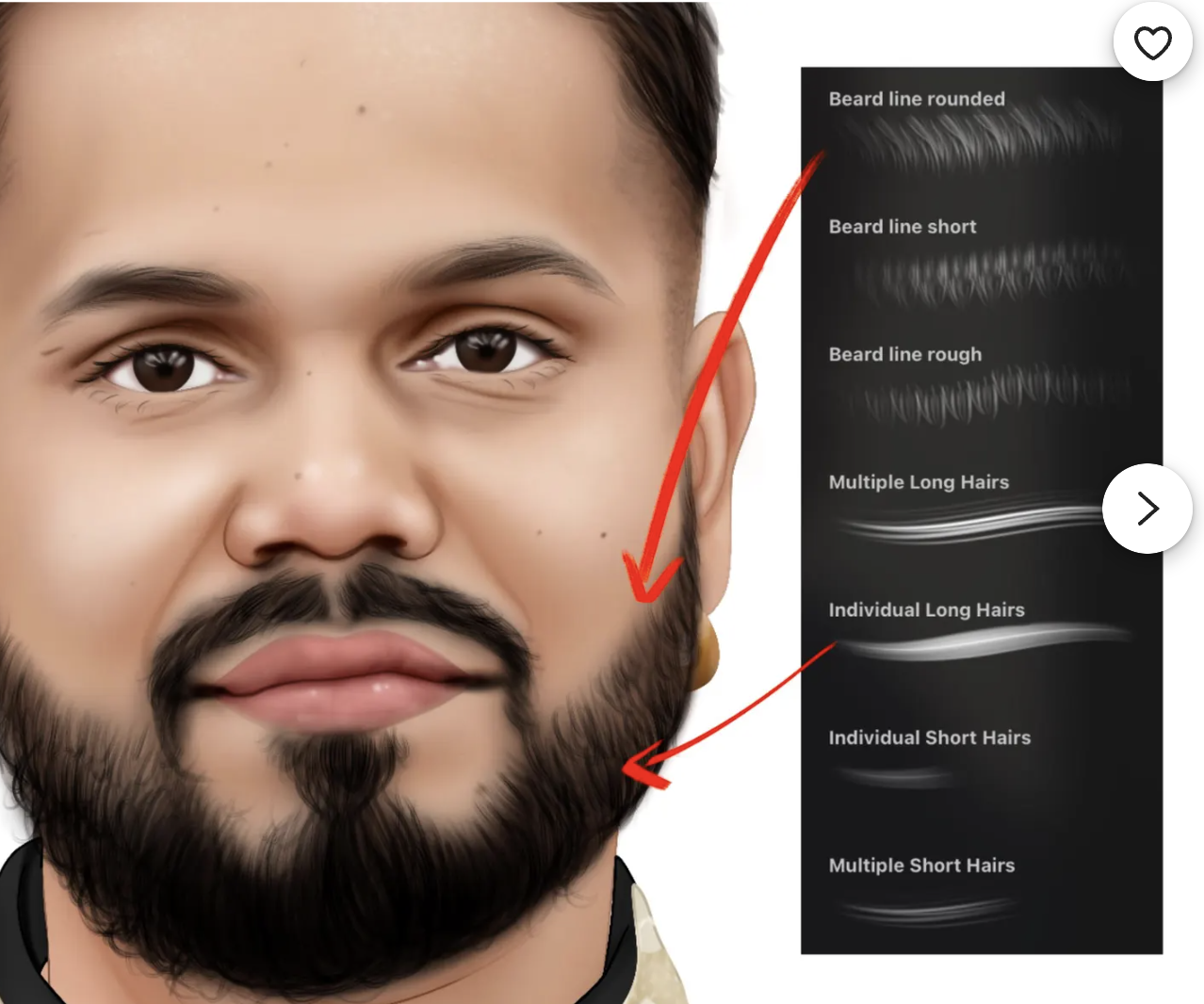 Image 4 of 5
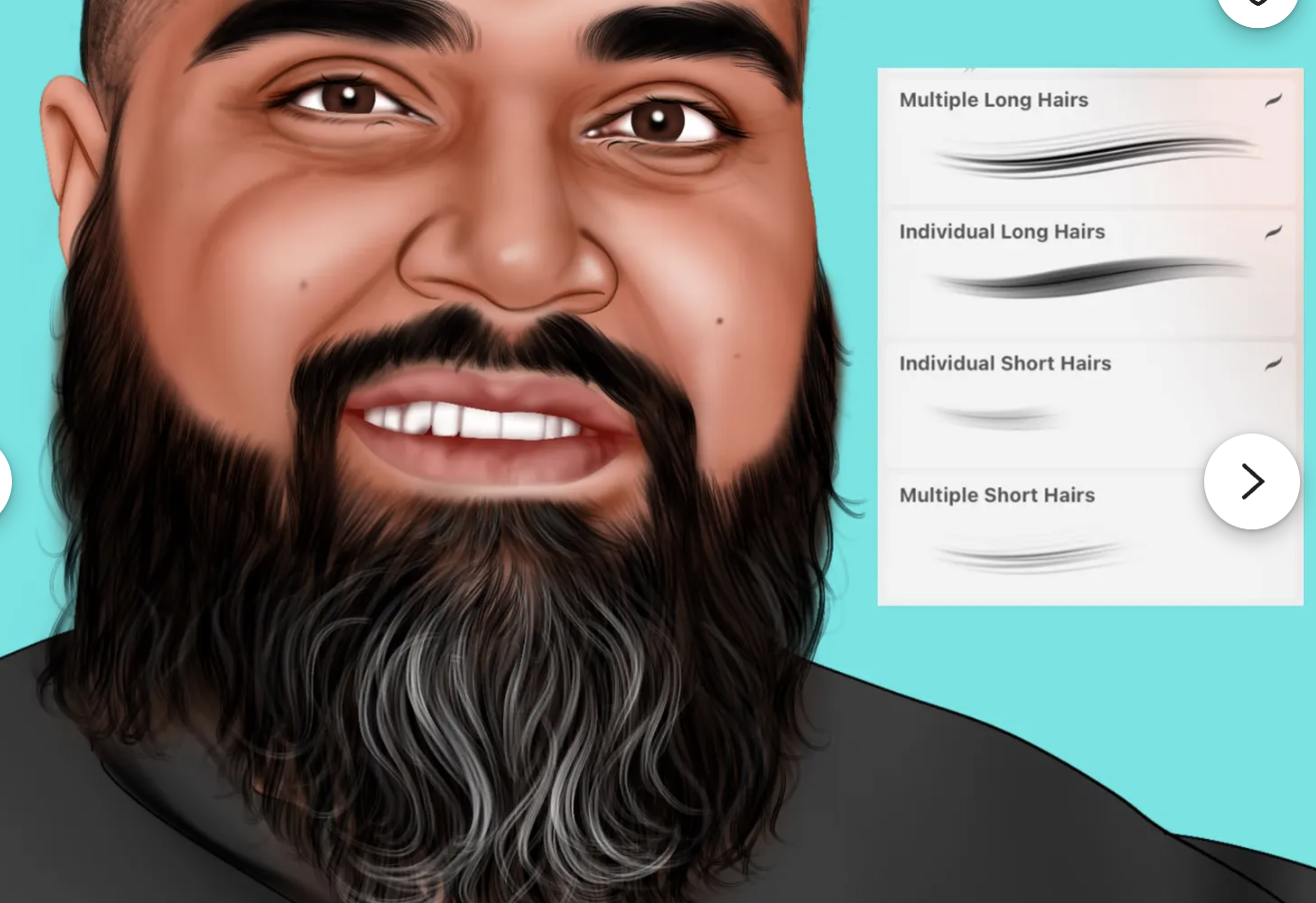 Image 5 of 5
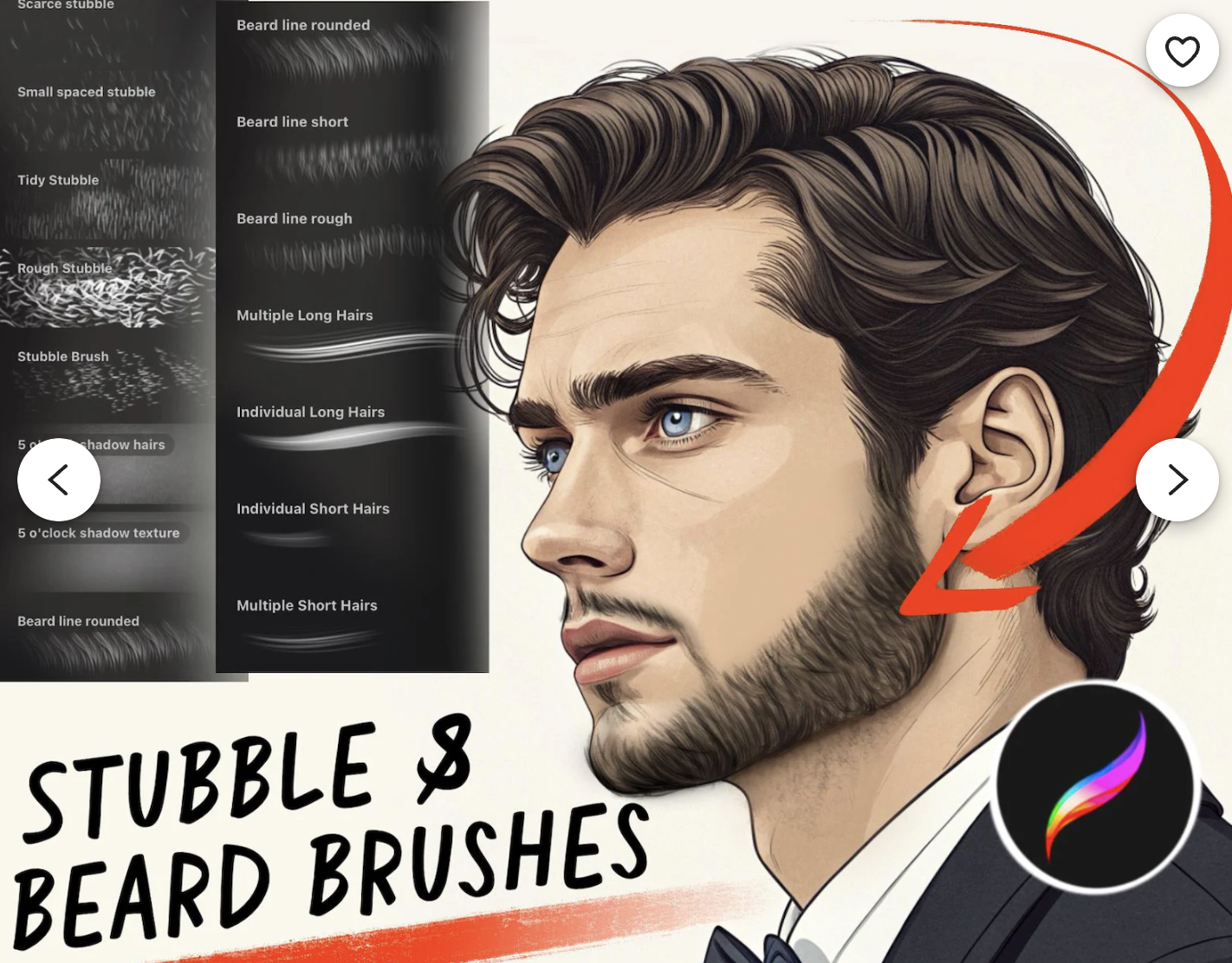
Forget drawing each individual stubble hair... with one stroke you can do hundreds!
You DO NOT NEED 100 BEARD BRUSHES like other listings! You ONLY need the core most important ones, do not buy large brush packs which are expensive and a waste of money. Here are my 18 MOST USED and key brushes for realistic beards.
Create completely realistic and texturised beards with my stubble and beard brushes!
You will receive 18 brushes designed specifically for realistic stubble, facial hair and beards.
☆PLEASE READ STEPS TO DOWNLOAD AFTER PURCHASE:
Start the download then once ready drag and drop it to your desktop or personal folder which is accessible on your IPAD
Unzip the folder by tapping it
Go into the folder and you will see all the brushes, tap the brush to import it into procreate.
Then go into procreate and check that it is imported by going to your brushes- scroll down to the bottom where it will say IMPORTED
Subscribe to my youtube to see these brushes in action! https://www.youtube.com/@teapotdesigns
Message me if you have any troubles downloading x
Forget drawing each individual stubble hair... with one stroke you can do hundreds!
You DO NOT NEED 100 BEARD BRUSHES like other listings! You ONLY need the core most important ones, do not buy large brush packs which are expensive and a waste of money. Here are my 18 MOST USED and key brushes for realistic beards.
Create completely realistic and texturised beards with my stubble and beard brushes!
You will receive 18 brushes designed specifically for realistic stubble, facial hair and beards.
☆PLEASE READ STEPS TO DOWNLOAD AFTER PURCHASE:
Start the download then once ready drag and drop it to your desktop or personal folder which is accessible on your IPAD
Unzip the folder by tapping it
Go into the folder and you will see all the brushes, tap the brush to import it into procreate.
Then go into procreate and check that it is imported by going to your brushes- scroll down to the bottom where it will say IMPORTED
Subscribe to my youtube to see these brushes in action! https://www.youtube.com/@teapotdesigns
Message me if you have any troubles downloading x